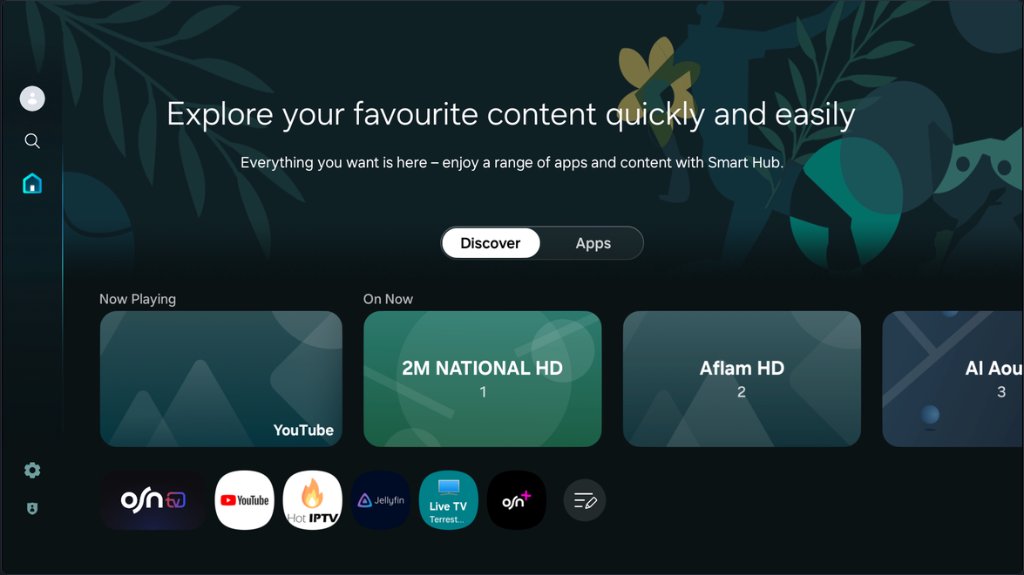
Samsung’s stock Smart Hub wastes half the screen before I can open an app. There’s a promotional banner across the top, a Discover/Apps switcher, channel cards I never click, and sluggish D-pad navigation.
I forked Free My TV to build my own Samsung Tizen version. The goal was a faster, stripped-down UI with dynamic UHD wallpapers, a built-in Task Manager, and an instant Home button backed by a Vetro shard.
Before and after
This is the stock Samsung Smart Hub I replaced:
And this is my Free My TV fork running on the same TV:
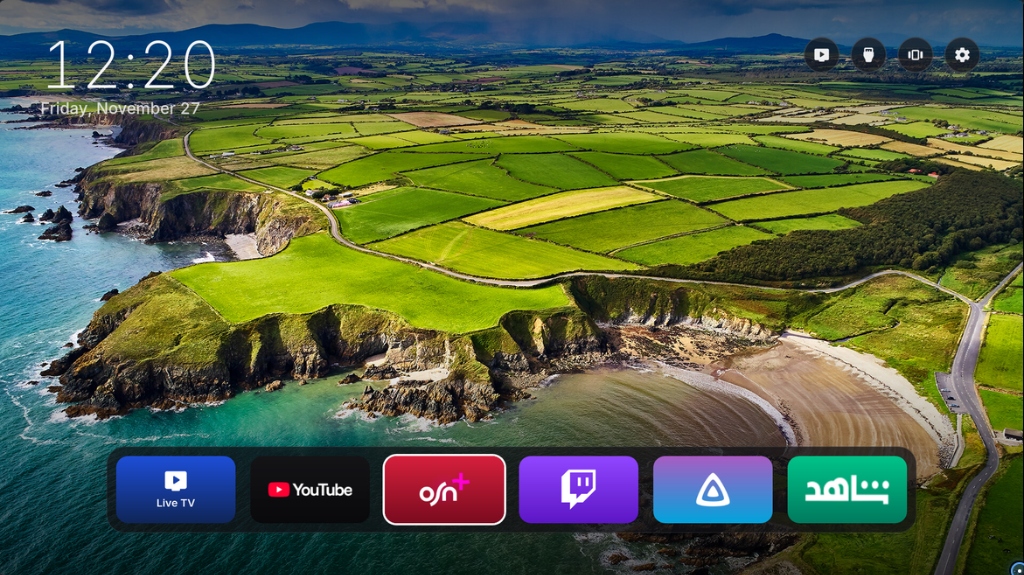
Everything stays out of the way:
- A minimal clock and date in the top-left corner.
- Four quick-action buttons in the top-right: Live TV, HDMI inputs, Task Manager, and Settings.
- One accent-tinted dark glass dock along the bottom for pinned apps.
Faster, simpler UI
Upstream FreeMyTV is already cleaner than Smart Hub, but it still ships features I didn’t want running on a low-power TV chip. Weather cards, TMDB trending rows, crypto tickers, quotes, world clock pickers, and zoom/shadow transitions all add DOM work and background requests.
I cut them out:
- Deleted 880 lines from
web/data.js, removing weather, trending content, crypto, and quote feeds. - Stripped 978 lines out of
web/home.jsand 505 lines out ofweb/home.css. - Replaced tile zoom and blur-shadow repaints with a plain white focus border on the active dock item. D-pad focus moves immediately.
- Removed every background poller except the wallpaper feed refresh, which waits 3 seconds after boot so cold start stays unblocked.
Dynamic UHD wallpapers
A flat dark backdrop behind six tiles felt lifeless. I wrote a 147-line slideshow module (web/wallpaper.js) for full-bleed 16:9 UHD photography.
- Fetches curated 16:9 photos from Bing Daily (via Peapix
usandjpfeeds) and Wallhaven’s toplist on Tizen. - Caches up to 40 photo URLs in
localStorage(wp.uhd.v1) so startup paints immediately without waiting on the network. - Preloads each next image in memory before cross-fading between two background layers (
#wpAand#wpB). - Pauses its timer on
visibilitychangewhenever the launcher goes to the background, saving CPU and RAM while watching a stream. - Shares the same cached pool with the photo screensaver, with separate rotation intervals (
15s,30s,2m,5m,10m) configurable directly on the TV.
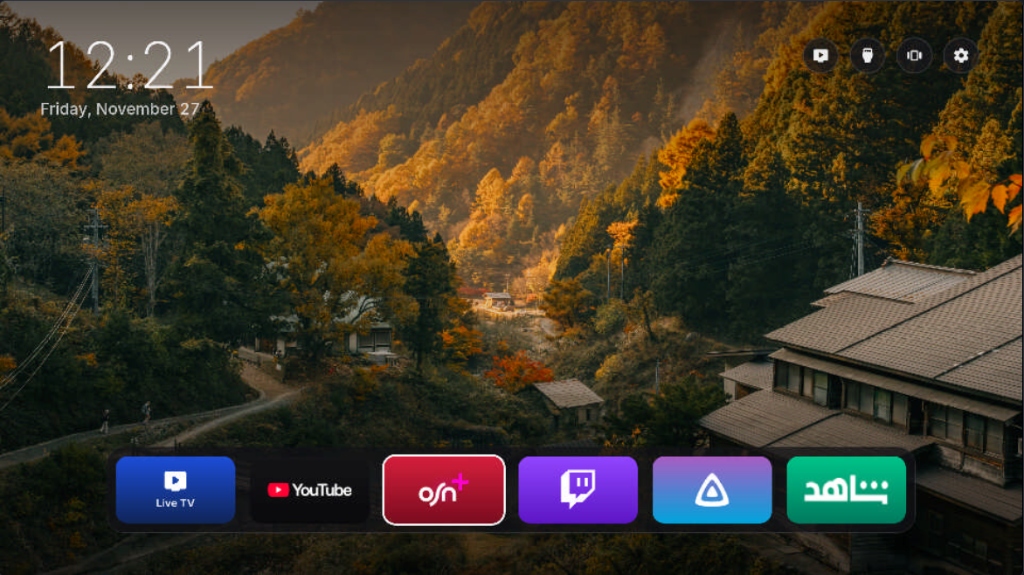
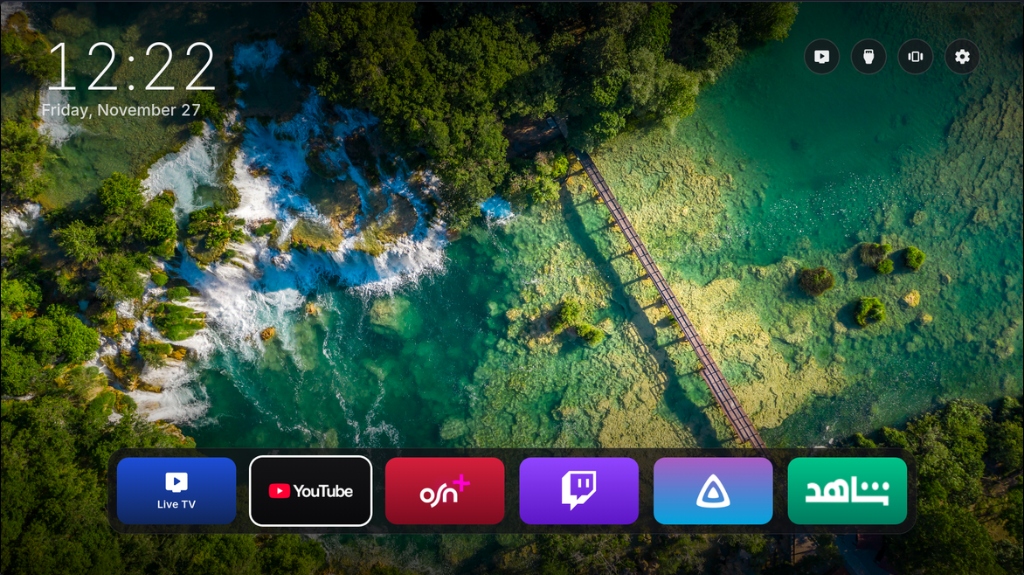
Here’s the same dock across two more rotations from the wallpaper pool:
Task Manager and the Vetro shard
Tizen keeps apps suspended in memory until the OS evicts them, and switching between heavy streaming apps makes the TV feel sluggish. I added an integrated Task Manager sheet that lists running user apps alongside free memory, lets me jump into one with Right, or close it with OK.
Listing running apps works directly from the web app through tizen.application.getAppsContext(), once http://tizen.org/privilege/application.admin is declared in tizen/config.xml. Closing apps doesn’t. Two Tizen restrictions get in the way:
tizen.application.kill()requires Tizen’s Platform privilege, which third-party web apps can’t obtain.- Tizen’s SMACK access control blocks loopback sockets between different packages, so
User::Pkg::FreeMyTViocan’t talk to a service insideUser::Pkg::vetrotvapp.
To solve both cleanly, I built a 78-line Vetro shard (vetro-shard/fmtv-tasks.vplugin, source in vetro-shard/index.js):
- On startup, it writes a minimal bidirectional SMACK rule (
User::Pkg::FreeMyTVio <-> User::Pkg::vetrotvapp rw) into/sys/fs/smackfs/load2. Because Vetro starts on boot, the rule survives TV reboots. - It binds an HTTP server strictly to
127.0.0.1:8098, exposingGET /healthandPOST /close. - Every
/closerequest validatesappIdagainst a strict regex (^[A-Za-z0-9._-]{2,120}$) and rejects a 15-entry protected list covering core system packages (org.tizen.tv-viewer,org.tizen.menu,org.tizen.volume,vetrotvapp*, and similar services). - For user apps, it runs
/usr/bin/app_launcher -t <id>, waits one second, checks if the process is still running, and falls back toapp_launcher -k <id>.
Instant Home button
The same Vetro shard also fixes the slowest part of pressing Home on Samsung Tizen. Launching a web app through the normal path plays Samsung’s 4-dot loading animation every time.
In vetro-shard/index.js, the launch hook intercepts FreeMyTVio.FreeMyTV, hides Vetro’s tuner overlay if it’s visible, and runs /usr/bin/app_launcher -e FreeMyTVio.FreeMyTV (--direct-start). Pressing Home jumps straight back to Free My TV in about 43 ms with zero loading screen.
Build and install
Packaging and installing the Tizen widget takes two commands:
python3 tizen/build.py
apps2samsung-cli install FreeMyTV-tizen.wgt --tv <TV_IP> --partner --yes
On a TV running Vetro, installing and enabling the shard takes two curl calls:
curl -s -X POST http://<TV_IP>:8099/plugins/install \
  -H "Content-Type: application/json" \
  --data-binary @vetro-shard/fmtv-tasks.vplugin

curl -s -X POST http://<TV_IP>:8099/plugins/fmtv-tasks/enable
The source code, prebuilt .vplugin shard, and local browser preview setup are all on GitHub.